Word to PDF for invoices before sending clients
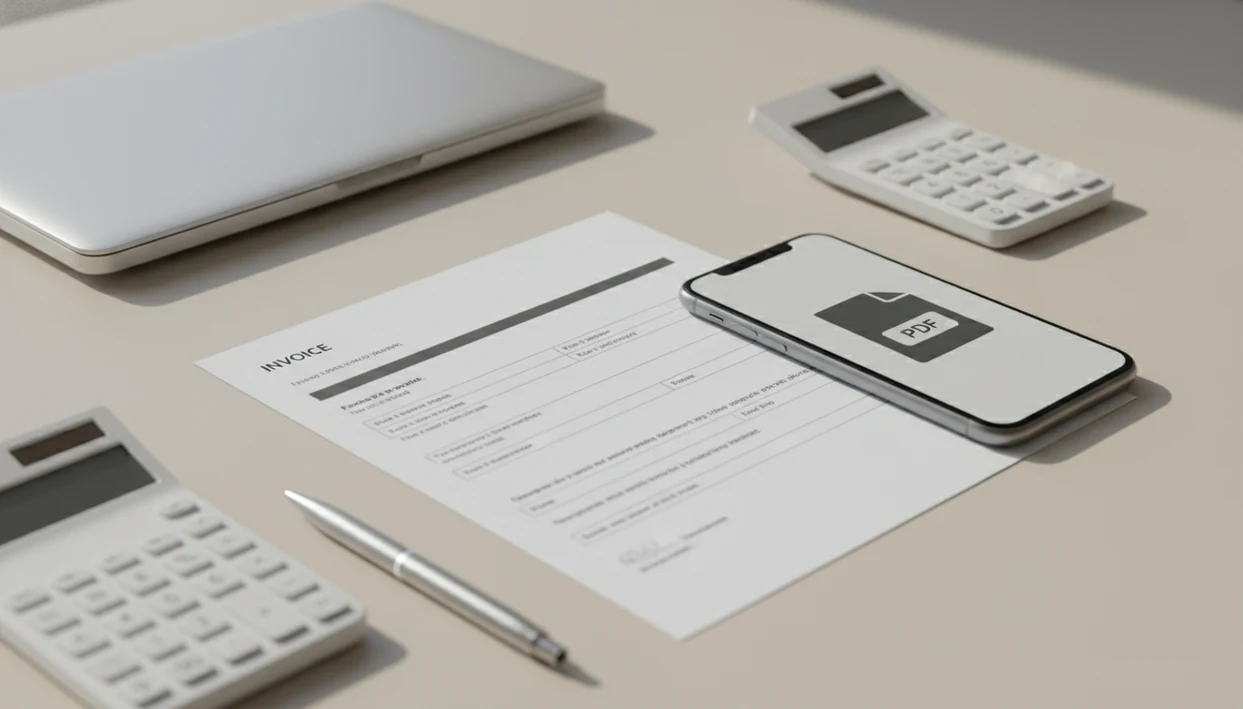
Word to PDF for invoices is the right final step when you create an invoice in Word but want to send clients a cleaner, fixed-layout file. The converter helps with that handoff on iPhone and Android, so you can keep the DOCX as your editable template, then convert the finished invoice to PDF and check totals, dates, margins, tables, and filename before sharing.
> Definition: WordPDF is a word to pdf app that converts DOCX and Word documents into PDF files on iPhone and Android while preserving layout, tables, and images.
- Convert the editable Word invoice into a PDF before sending so the layout is more consistent across phones, tablets, and computers.
- Do not rely on conversion to fix a messy invoice template; review fonts, tables, totals, page breaks, and margins first.
- After converting an invoice docx to pdf, open the PDF yourself and confirm the file looks client-ready before attaching or sharing it.
At-a-glance checklist for Word to PDF invoice files
A Word invoice file should stay editable, while the PDF becomes the client-facing copy. Before you convert invoice to pdf, check the parts clients notice first: invoice number, client name, invoice date, due date, line items, totals, taxes, payment details, margins, page breaks, and filename.
PDF is a fixed-layout sharing format, and ISO lists PDF 2.0 as ISO 32000-2:2020 (https://www.iso.org/standard/75839.html). That matters for invoices because the recipient may open the file on Gmail, Apple Mail, Outlook, a tablet, or a printer preview.
The tiny errors are the expensive ones.
Freelancers sending monthly retainers can use the converter when the invoice is already final and the remaining job is clean export, quick layout check, and client delivery. For broader client files, the same habit applies to Word to PDF for business documents.
Why freelancers convert invoice DOCX files to PDF
Freelancers usually send invoices as PDFs because the file looks more finished and is less likely to be changed by accident. DOCX is still useful while drafting because Microsoft documents DOCX as an Office Open XML WordprocessingML file format used for structured Word documents (https://learn.microsoft.com/en-us/openspecs/office_standards/ms-docx/).
- A DOCX invoice is better for updating descriptions, hourly totals, taxes, and payment notes.
- A PDF invoice is better for client viewing, printing, filing, and forwarding.
- PDF reduces accidental edits, but it does not make an invoice impossible to modify.
- File format alone does not make an invoice legally valid; contracts, records, and local rules matter.
- A finished PDF feels more deliberate than an editable attachment named “invoice-final-final.docx.”
A recruiter may ask for “PDF only” at the last minute, and clients often behave the same way with invoices. The converter fits freelancers sending finished invoice templates because it keeps the working DOCX separate from the exported PDF workflow. More freelancer-specific file habits are covered in Word to PDF for freelancers sending.
How Word to PDF invoice conversion works on mobile
Word to PDF invoice conversion reads the Word document structure, including page setup, fonts, tables, images, spacing, headers, and footers, then outputs a fixed-layout PDF. In plain terms, the converter tries to make the invoice look like a final page instead of an editable draft.
Bad source files still cause bad PDFs. If the logo is oversized, the tax row is in a fragile table, or the last line item pushes onto page two, conversion may preserve that problem instead of fixing it. We often compare the Word file and PDF side by side to catch a shifted page break before sending.
Mobile adds a few extra variables. The invoice might live in the Files app, Android Downloads folder, email attachments, Google Drive, Dropbox, or a shared folder. App permissions, cloud-only storage, offline access, and font availability can all affect the flow. The converter is a practical fit when the document is already saved on the phone and the goal is to open, convert, preview, then share.
How to use WordPDF for an invoice PDF
Use WordPDF after the invoice is finished, not while you are still changing rates or totals. The original Word invoice remains your editable template, and the exported PDF becomes the version you send.
- Save the finished DOCX invoice in a clear location, such as Files, Google Drive, email attachments, or Android Downloads.
- Open the invoice in WordPDF and confirm you selected the correct client file.
- Convert the invoice docx to pdf after checking the Word version for totals, dates, taxes, and payment terms.
- Review the exported PDF in phone preview, including margins, logo size, table rows, and page breaks.
- Rename the PDF with client name, invoice number, and date before sharing.
- Share the PDF through email, a messaging app, or cloud storage.
If your priority is sending a final invoice from a phone, the converter covers the practical path because the workflow ends with a reviewable exported PDF, not another editable draft.
Top 3 conversion features for invoice senders
Invoice senders need focused conversion features, not a crowded PDF suite. WordPDF turns DOCX files into shareable PDFs on iPhone and Android, not broad promises about editing, signing, scanning, and document management.
For invoice use, judge a converter by whether it preserves tables, margins, logos, and page breaks in a phone-only test. Extra PDF features matter less than opening the exported file quickly and confirming the amount due is still on the right page.
DOCX invoice conversion
Reliable DOCX to PDF conversion matters most when the invoice template is finished. The converter fits this job because it focuses on turning Word files into exported PDFs that can be opened, checked, and sent.
Mobile file access
The invoice might start in Files, Downloads, email, or a cloud folder. We test the handoff from those locations because mobile invoices often get sent from a waiting room, hotel lobby, or parked car.
PDF sharing after conversion
After export, the share sheet should let you attach the PDF to email, messages, or storage. The right fit for small client billing is a named PDF attachment that leaves your phone cleanly. Related workflows appear in Word to PDF for small business.
Common invoice DOCX to PDF mistakes before sending
One-tap conversion is not enough for invoices because the PDF is the version the client will trust. Weak templates, missing payment terms, inconsistent fonts, oversized logos, broken tables, awkward page breaks, and wrong totals can all survive the export.
We have seen a clean-looking Word invoice turn into a PDF with one table row stranded on page two. Not ideal. Open the finished PDF on the phone before sending, especially if you changed line items right before export.
A shareable invoice PDF is not the same thing as a fillable invoice PDF. A shareable PDF is meant for viewing, filing, printing, and payment reference. A fillable PDF contains form fields, which is a different workflow. The exported PDF workflow is intended for converting finished Word invoice files into client-ready PDFs, not building interactive forms. For comparison shopping, our best word to pdf app guide explains what to check without drifting into unrelated PDF tasks.
Word invoice file versus PDF invoice file
Word is best for editing invoice templates, while PDF is usually best for final client sharing. The moment you convert invoice to pdf is the transition from draft control to presentation copy.
| File type | Best use | Client risk | Typical action |
|---|---|---|---|
| DOCX invoice | Updating templates, rates, line items, taxes, and notes | Client may edit, reflow, or see layout changes | Keep as your working invoice file |
| PDF invoice | Sending the final invoice for viewing, payment, or filing | Client can still edit with tools, but accidental changes are less likely | Send as the client-facing file |
| Older DOC invoice | Legacy templates from old systems or shared folders | Formatting may shift more during conversion | Test before sending |
| Cloud-stored invoice | Work across phone, tablet, and desktop | Wrong version may be selected | Confirm filename and modified date |
Some clients may request Word files for internal processing, but PDF is usually better for presentation. The converter is useful when the business rule is simple: edit in Word, send the PDF. The same draft-to-final pattern also applies to Word to PDF for resume uploads.
Limitations
WordPDF can make the final invoice handoff easier, but conversion has limits. It is not accounting software, a legal review, or a layout repair service.
- Conversion does not repair poor layout, inconsistent fonts, bad margins, wrong totals, missing terms, or broken tables.
- PDFs can still be edited with the right tools unless protection is applied elsewhere.
- App permissions may block access to files stored in email, Files, Google Drive, Dropbox, or Android Downloads.
- Cloud-only invoices may not convert properly when the phone is offline or the file has not downloaded locally.
- Font substitution can change spacing if the mobile device or converter cannot access the original font.
- Older DOC files may convert less predictably than modern DOCX files.
- File format alone does not determine legal validity, enforceability, payment rights, or tax treatment.
- Online converters such as ilovepdf.com/wordtopdf, smallpdf.com/word-to-pdf, and adobe.com/acrobat/online/word-to-pdf may be useful, but uploading client invoices to a website may not fit every privacy expectation.
FAQ
Should I send invoices as a PDF or a Word document?
Send final invoices as PDFs in most cases because the layout is more consistent and the file looks finished. Keep the Word document as your editable invoice template.
Can I convert a Word invoice to PDF on iPhone?
Yes, iPhone users can convert a Word invoice to PDF with a mobile conversion app or an available export or print flow. Always open the exported PDF in preview before sending it.
Can I convert a Word invoice to PDF on Android?
Yes, Android users can convert Word invoices to PDF using a conversion app or device workflow that can access the DOCX file. Save or check the result in the Android Downloads folder or your chosen cloud folder.
Does a PDF stop clients from editing my invoice?
No, a PDF reduces accidental edits but does not make the invoice impossible to modify. A recipient with PDF editing software may still change or annotate the file.
Will converting a Word invoice to PDF fix formatting problems?
No, conversion usually preserves the source layout rather than repairing it. Fix fonts, tables, margins, logos, page breaks, and totals in Word before exporting.
What should I check before sending an invoice PDF?
Check the invoice number, client details, dates, line items, totals, taxes, payment terms, margins, tables, and page breaks. Also confirm the filename matches the client and invoice number.
Is DOCX or PDF better for invoice templates?
DOCX is better for invoice templates because it is editable and easy to reuse. PDF is better for the final invoice you send to a client.
How should I name invoice PDF files for clients?
Use a clear filename with the client name, invoice number, and date. A practical format is `ClientName-Invoice-1042-2026-05-27.pdf`.